My SOS Family: A Simple Safety Solution for Your Loved Ones

Updated: May 16
Setting Up My SOS Family
Getting started with My SOS Family is straightforward and creates a sense of security. You’ll find the initial setup comforting for both you and your parent. Let’s explore how to make it work smoothly.
Simple Steps for Setup
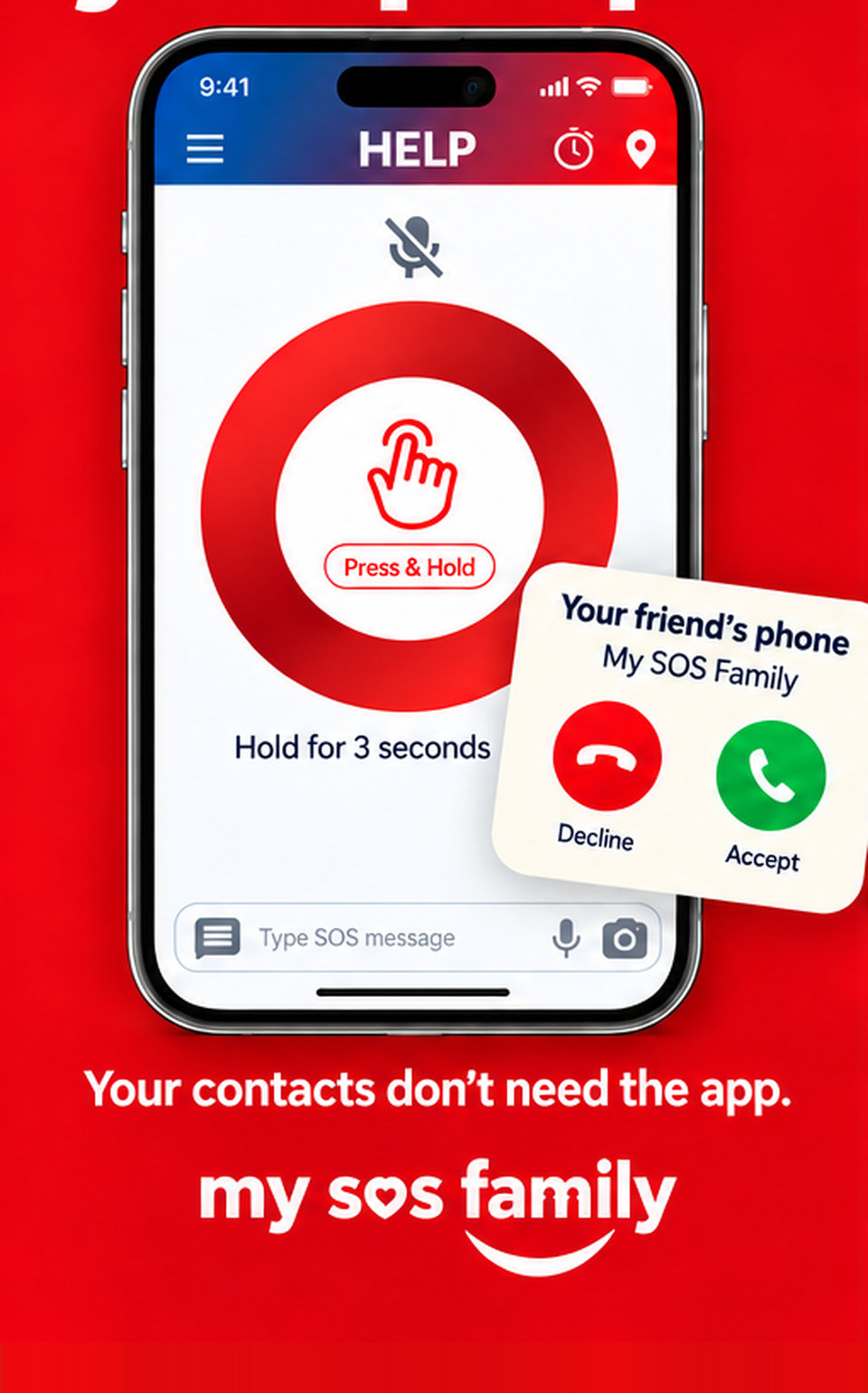
Begin with a few easy steps to set up My SOS Family on your parent’s phone. Download the app from the app store and open it. Signing up is simple: just enter a few details, and you’re ready to go. This app is designed to be user-friendly, so even if your parent isn’t tech-savvy, they’ll find it easy to use.
Next, decide which devices to connect. My SOS Family works on smartphones, basic mobiles, landlines, and even Alexa. This flexibility means it fits into whatever technology your parent is comfortable with. For example, they can use their mobile phone or simply say, “Alexa, start My SOS Family.” It’s about making safety accessible without new gadgets.
Finally, test the app once everything is set up. This reassures both you and your parent that help is just a tap or voice command away. Practicing this once gives you both calm confidence in its reliability.

Adding Trusted Contacts
Adding trusted contacts is about creating a network of people who care. Start by selecting those who your parent feels comfortable reaching out to in a moment of need. This could be family members, close friends, or even a neighbor. These are the people who will be notified if your parent needs assistance.
The app allows you to add multiple contacts, ensuring help is always accessible. Each person will receive alerts simultaneously, keeping everyone informed and enabling a quick response. This network means no single person is burdened, and everyone knows what's happening.
Also, you can customize alert messages. This means your parent can send a message that feels personal and familiar, making the experience more human. Setting up these details ensures your parent feels connected and supported by those who know them best.
Practicing Safety Triggers
With your setup complete, practice using the app to ensure everyone is comfortable. This practice doesn’t just familiarize your parent with the app; it reinforces the connection with their trusted contacts.
Easy Ways to Practice
Start with simple practice sessions. Encourage your parent to use the app casually. For instance, suggest they use the SOS Timer when taking a bath. This feature sends alerts if they don’t cancel the timer, offering an extra layer of reassurance.
Another practice method is the Check In feature. This allows your parent to send a quick “I’m safe” message to their contacts. It’s a reassuring way to keep in touch without feeling monitored. Use this feature during everyday activities, like walking to the store or taking a stroll in the park.
Regular practice builds familiarity and confidence. It reassures both your parent and their contacts that the system works and is ready to support them when needed.
Using Voice and Devices
Voice commands make My SOS Family even more accessible. If your parent uses Alexa, practice saying, “Alexa, start My SOS Family.” This hands-free feature is especially useful if they have mobility issues or find phones challenging.
For those using basic mobiles or landlines, practice speed dialing the SOS number. It’s a quick way to alert their trusted contacts without needing a smartphone.
These practices ensure that no matter where your parent is or what device they’re using, they can reach out to their network easily. This brings peace of mind, knowing help is always a voice command or button press away.
Maintaining Independence
My SOS Family is about supporting independence. It respects your parent’s need for privacy and autonomy while offering gentle backup when needed.
Calm Reassurance for Parents
Your parent values their independence, and My SOS Family honors that. It’s not about monitoring; it’s about providing support when they choose to ask for it. This app gives them control over who they contact and when, which is empowering.
A key aspect is the absence of a call center. Alerts go directly to their trusted contacts, not strangers. This personal touch means your parent feels reassured that help comes from people who care, not a faceless service.
Moreover, the app’s simplicity avoids tech overwhelm. It doesn’t demand constant updates or complex settings. It just works, quietly and effectively, in the background of their daily life.
Affordable and Respectful Support
Cost matters, and My SOS Family offers an affordable alternative to expensive monitored alarms. There are no long contracts or hidden fees—just straightforward pricing that fits real life.
This affordability doesn’t come at the expense of privacy. Your parent stays in control of what’s shared and with whom. There’s no background tracking or unwanted surveillance, just respectful support.
By choosing My SOS Family, you provide your parent with peace of mind. They maintain their independence, knowing they have a reliable safety net. This isn’t about creating dependency; it’s about empowering them with a tool that respects their autonomy while offering quiet reassurance.
Conclusion: Embracing Safety with My SOS Family
In a world where safety is paramount, My SOS Family stands out as a simple, effective solution. It’s designed for those who want peace of mind without complicated technology. By setting up this app, you’re not just providing a safety net; you’re fostering independence and confidence in your loved ones.
Remember, you’re not alone in this journey. My SOS Family is here to support you and your parent every step of the way. With a few simple steps, you can ensure that help is always just a tap or voice command away. Embrace this opportunity to empower your loved ones while keeping them safe.