

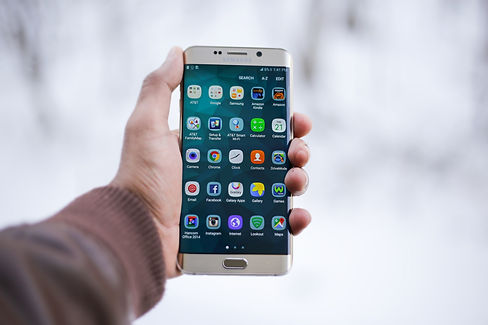
MY SOS FAMILY® SUPPORTS
ALL MOBILE DEVICES.
My SOS Family® Lone Worker Protection System works on every phone and mobile device (BYO or company provided), iPhones, all Android phones, all Basic cell mobile phones (non-smartphones), iPads or Android tablets and desktop based landline phones.
Because 85% of staff 18-44 have their own phone on or near them 22 hours a day. our Personal Safety App Is the ideal, workplace occupational safety companion, the emergency health and safety assistant allows employees to even use their voice to trigger the SOS App Alerts without touching their phone.
This means you don’t have to buy your Lone Workers any extra device, your employee doesn’t have to remember to carry an extra GPS device or keep the battery charged or worry about losing it and incurring a cost of replacing a GPS SOS device.
How My SOS Family Protects Lone Workers
Our Personal Emergency Alert App is intuitive and so easy-to-use, All emergency alerts are sent from our automated Alarm Alerting System which is outside of the App, from our servers, We send emergency alerts by SMS, phone calls, and emails to an unlimited no’ of emergency contacts (colleagues, managers, and even family).
My SOS Family® automated alarm receiving, monitoring center is securely hosted with a hosting provider of government Ministry of Defense and Ambulance Services and is monitoring Lone workers 24/7/365, waiting for that day when it’s needed it’s never too busy or tied up on another call, it just does what it’s designed to do – send out SOS Alerts FAST!
Here is detail page on the alert process and how simple it is for emergency contacts.
SOS Timer — the virtual check-in. Before starting a lone working shift, a home visit, or a late-evening task, the worker sets a countdown timer. If they do not cancel it when the timer runs out, My SOS Family automatically alerts their nominated contacts — no action needed from the worker at the critical moment. Silence triggers the response.
Server-side failsafe. The SOS Timer continues counting on My SOS Family's cloud servers even if the worker's phone loses signal or the battery dies. A remote location with poor reception does not disable the protection.
Check-In. Workers can send a quick Check-In at pre-agreed intervals — arriving safely at a premises, completing a task, leaving a site. Missed check-ins prompt contacts to follow up immediately.


ONE OF OUR OUR USP's:
INTERACTIVE ALERT SYSTEM
We alert your trusted circle of support & ask for a reply-back!
When the first emergency contact replies they’re assigned responsibility and let them know they have been assigned the SOS and we also instantly alert all the other emergency contacts, letting them know who is helping so they can stand-down.
If every emergency contact replies to say they will help, we only assign responsibility to the first reply we receive, all other emergency contacts are informed and told “don’t worry XYZ’s taken responsibility” so no-one duplicates tasks & wastes time, allowing other staff to carry on with work - it's how the police dispatch system works.
Starting the SOS Timer synchronizes with My SOS Family® alarm receiving cloud center remotely.
If you lose reception or your battery dies, My SOS Family will continue counting down and send alerts to your emergency contacts unless stopped.

What Counts as Lone Working?
Lone working is more common than most people realise. A lone worker is anyone who works without close or direct supervision — physically separated from colleagues, management, or immediate assistance. That definition covers a wider range of roles than many employers initially think.
District nurses doing home visits. Estate agents conducting viewings alone. Delivery drivers covering remote rural routes. Security guards on overnight patrols. Hotel housekeeping staff working through empty corridors. Charity outreach workers meeting vulnerable clients in unfamiliar locations. Tradespeople — plumbers, electricians, gas engineers — working alone on residential jobs. Office cleaners finishing a building after everyone else has left. Social workers carrying out welfare checks.
If your team members regularly work without another colleague physically present, UK law considers them lone workers — and that triggers a specific set of responsibilities under health and safety legislation.
How My SOS Family Protects Lone Workers
My SOS Family was built for exactly this situation: a person on their own who needs to be able to call for help quickly, and a team that needs to know something is wrong without waiting for the person to dial a number manually.
Our Personal Emergency Alert App is intuitive and so easy-to-use, All emergency alerts are sent from our automated Alarm Alerting System which is outside of the App, from our servers, We send emergency alerts by SMS, phone calls, and emails to an unlimited no’ of emergency contacts (colleagues, managers, and even family).
My SOS Family® automated alarm receiving, monitoring center is securely hosted with a hosting provider of government Ministry of Defense and Ambulance Services and is monitoring Lone workers 24/7/365, waiting for that day when it’s needed it’s never too busy or tied up on another call, it just does what it’s designed to do – send out SOS Alerts FAST!
Here is detail page on the alert process and how simple it is for emergency contacts.
SOS Timer — the virtual check-in. Before starting a lone working shift, a home visit, or a late-evening task, the worker sets a countdown timer. If they do not cancel it when the timer runs out, My SOS Family automatically alerts their nominated contacts — no action needed from the worker at the critical moment. Silence triggers the response.
Server-side failsafe. The SOS Timer continues counting on My SOS Family's cloud servers even if the worker's phone loses signal or the battery dies. A remote location with poor reception does not disable the protection.
Check-In. Workers can send a quick Check-In at pre-agreed intervals — arriving safely at a premises, completing a task, leaving a site. Missed check-ins prompt contacts to follow up immediately.
ONE OF OUR OUR USP's:
INTERACTIVE ALERT SYSTEM
We alert your trusted circle of support & ask for a reply-back!
When the first emergency contact replies they’re assigned responsibility and let them know they have been assigned the SOS and we also instantly alert all the other emergency contacts, letting them know who is helping so they can stand-down.
If every emergency contact replies to say they will help, we only assign responsibility to the first reply we receive, all other emergency contacts are informed and told “don’t worry XYZ’s taken responsibility” so no-one duplicates tasks & wastes time, allowing other staff to carry on with work - it's how the police dispatch system works.
Starting the SOS Timer synchronizes with My SOS Family® alarm receiving cloud center remotely.
If you lose reception or your battery dies, My SOS Family will continue counting down and send alerts to your emergency contacts unless stopped.
Why It Beats a Lone Worker Pendant or Monitoring Centre
Traditional lone worker solutions fall into two categories: hardware pendants and staffed monitoring centres. Both have significant drawbacks for modern workforces.
A pendant has to be ordered, distributed, carried separately from a phone, charged, and returned. It introduces equipment costs, administration overhead, and the very real problem of workers leaving it in their desk drawer. A monitoring centre costs a monthly per-user fee and routes alerts through a stranger who has no context about the worker, their role, or where they should be.
My SOS Family works on the smartphone your employee already carries. There is nothing to distribute, no hardware budget, and no equipment contract. It runs as a BYOD (bring your own device) solution across any iOS or Android phone, which means you can roll it out across a team of ten or a thousand without a procurement process.
When an alert fires, it reaches the people who actually know the worker — their manager, their colleague, their emergency contact — not a call centre operator reading a screen for the first time. And it reaches them simultaneously by phone call, SMS, email, and in-app notification. The alert fires immediately, to people who are already motivated to help.
See how My SOS Family compares to traditional lone worker pendant solutions on our comparison page.


SOS Timer — the virtual check-in.
Before starting a lone working shift, a home visit, or a late-evening task, the worker sets a countdown timer. If they do not cancel it when the timer runs out, My SOS Family automatically alerts their nominated contacts — no action needed from the worker at the critical moment. This is the single most important feature for lone worker protection: it means silence triggers the response, not a conscious decision under stress.
Server-side failsafe.
The SOS Timer continues counting on My SOS Family's cloud servers even if the worker's phone loses signal or the battery dies. A remote location with poor reception does not disable the protection — which is exactly when protection matters most.
Voice SOS
Hands-free triggering. If something goes wrong and the worker cannot safely reach for their phone, they can trigger an SOS alert using their voice, through the app's Voice SOS feature or via a connected Amazon Alexa device. No button to press, no screen to unlock.
GPS location at the moment of alert.
When an alert fires, the worker's GPS location is shared with their contacts immediately. Contacts can also view live location updates for 15 minutes, 1 hour, or 3 hours.
First-responder assignment.
When an alert reaches multiple contacts simultaneously, one contact accepts responsibility for the incident. The others are notified and stood down. This prevents the dangerous situation where everyone assumes someone else is dealing with it — and no one does.
Check-In.
Workers can send a quick Check-In at pre-agreed intervals — arriving safely at a premises, completing a task, leaving a site. Missed check-ins can prompt contacts to follow up immediately.
Our unique automated alarm system eliminates complication, and therefore keeps the process simple & easy for both employee and employer, a common-sense approach, whilst providing extensive staff safety features to improve worker protection further like: the SOS Timer, Check-In , Hands-free Voice SOS, Call SOS, and the ability to customize emergency messages and add Images or videos.
A good company treats employees like family, and they use the My SOS Family® Personal Emergency SOS Assistant App to help improve the safety of the work family. We welcome you to join the growing list of organizations with safer, happier and protected employees.
Lone workers and employers — see our dedicated lone worker protection page for how this works for teams and shift workers.
What the Law Says About Lone Worker Safety
The Management of Health and Safety at Work Regulations 1999 require employers to carry out a suitable and sufficient risk assessment for all employees, including those who work alone. Where lone working is identified as a risk, employers must take steps that are reasonably practicable to eliminate or control that risk.
Reasonably practicable" does not mean you have to spend a fortune. It means the effort and cost of a control measure should be proportionate to the level of risk. For many lone workers — particularly those visiting unknown premises, working in isolated locations, or working outside normal hours — some form of monitoring or check-in system is expected.
The Health and Safety Executive (HSE) is clear: employers must consider how a lone worker would summon help if something went wrong, and that answer must be part of a written risk assessment. A mobile phone number on a rota sheet is not a monitoring system. A robust lone worker protection solution gives you documented evidence that you have addressed the risk in a structured, proportionate way.
At My SOS Family, we offer a straightforward, practical solution to enhance workplace safety: our employee safety app. is designed to complement existing health & safety policies and risk assessments, our Emergency App is an easy-to-implement tool that supports isolated staff working in remote locations or night shit workers without disrupting current workflows. Employers already manage extensive health & safety procedures and staff training to uphold a safe work environment; My SOS Family builds on these foundations by providing a tool that empowers staff to stay connected and safe.
This solution addresses workplace safety by reinforcing a safety culture and giving employees a reliable, easy-to-use security system for emergencies. With the My SOS Family workplace emergency response app, companies can extend their workplace risk and assessment efforts by equipping staff with a practical staff protection tool that adds reassurance and people safe protection in real-time.
My SOS Family's staff protection app is not only aligned with management of health and safety at work regulations but is also a seamless addition to any occupational health or workplace protection program. It’s a simple, common-sense approach that reinforces your commitment to staff safety, supporting a strong safety culture with ease and peace of mind.
See how My SOS Family compares to traditional lone worker pendant solutions on our comparison page.
Find out more about My SOS Family's Partnership & Reseller Programme.

How to Set It Up for a Team
Individual lone workers can set up My SOS Family in minutes: download the app, add your recommended SOS contacts (3 to 15), and the protection is live.
For employers and health and safety managers protecting larger teams, My SOS Family offers reseller and corporate accounts scaling from 100 to over 250,000 users. The platform supports sub-organisation hierarchies and dynamic SOS contact shift groups, which means a worker's active alert contacts can update automatically based on who is actually on shift at that moment.
Billing is flexible: weekly or monthly cycles are available for corporate accounts, and there are no per-device hardware costs.
Does it work without mobile signal?
The SOS Timer continues counting on My SOS Family's servers even if the worker's phone loses signal. If the timer runs out while the phone is offline, the alert fires from the server side — the worker does not need connectivity at the critical moment.


